
Version 0.2 · early version
Your AI. Your phone. Nobody else.
Hain is a free AI assistant for Android that runs on your phone. No account, no cloud, no ads, no tracking.
Free · Open source · Android 10 or newer
Hain is not in the Play Store. You install the APK from GitHub and allow your browser once to install apps (“unknown sources”). How to install
- No account
- No cloud
- No ads
- No tracking
- No Google services


Why Hain
A helpful AI that stays with you.
Most AI apps send everything you type to big data centres. Hain thinks right on your phone.
Private
Your questions and chats stay on your phone. Nobody reads along, and nothing is used to train an AI.
Works offline
Chatting works without internet, even on a plane. Hain only goes online when you ask for something from the web.
Free
No ads, no hidden costs. Hain is open source and belongs to everyone.
Green
No data centre has to run for your questions. Hain uses the phone you already own.
Features
What Hain 0.2 can do.
Every feature once, with a real screenshot of the app. The examples in the pictures are made up.
- Since 0.1
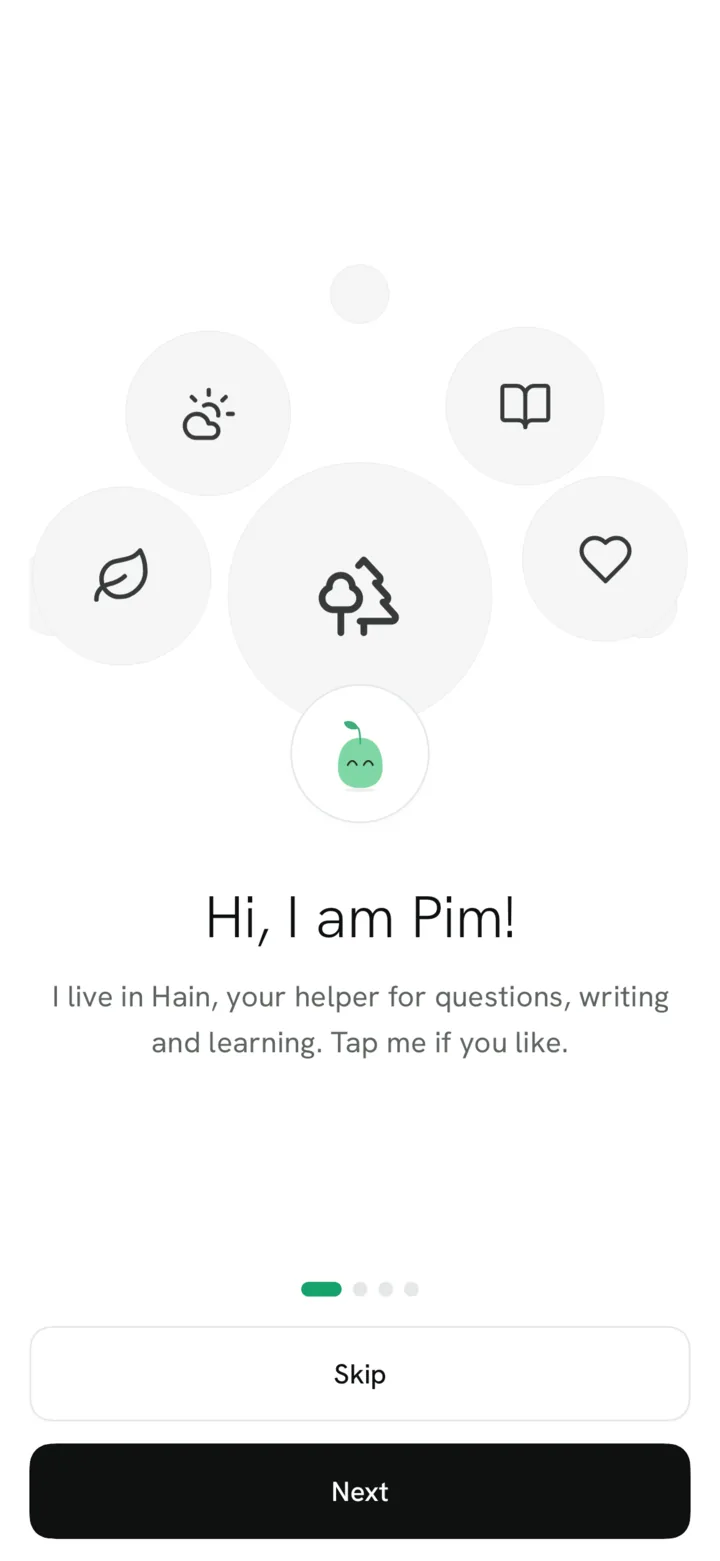
Hello, I’m Pim
A short welcome tour with Pim, then Hain downloads its brain once (about 1 GB, Wi-Fi is best). The download can wait, picks up where it stopped and runs in the background. After that, chatting works without internet.
- Since 0.1
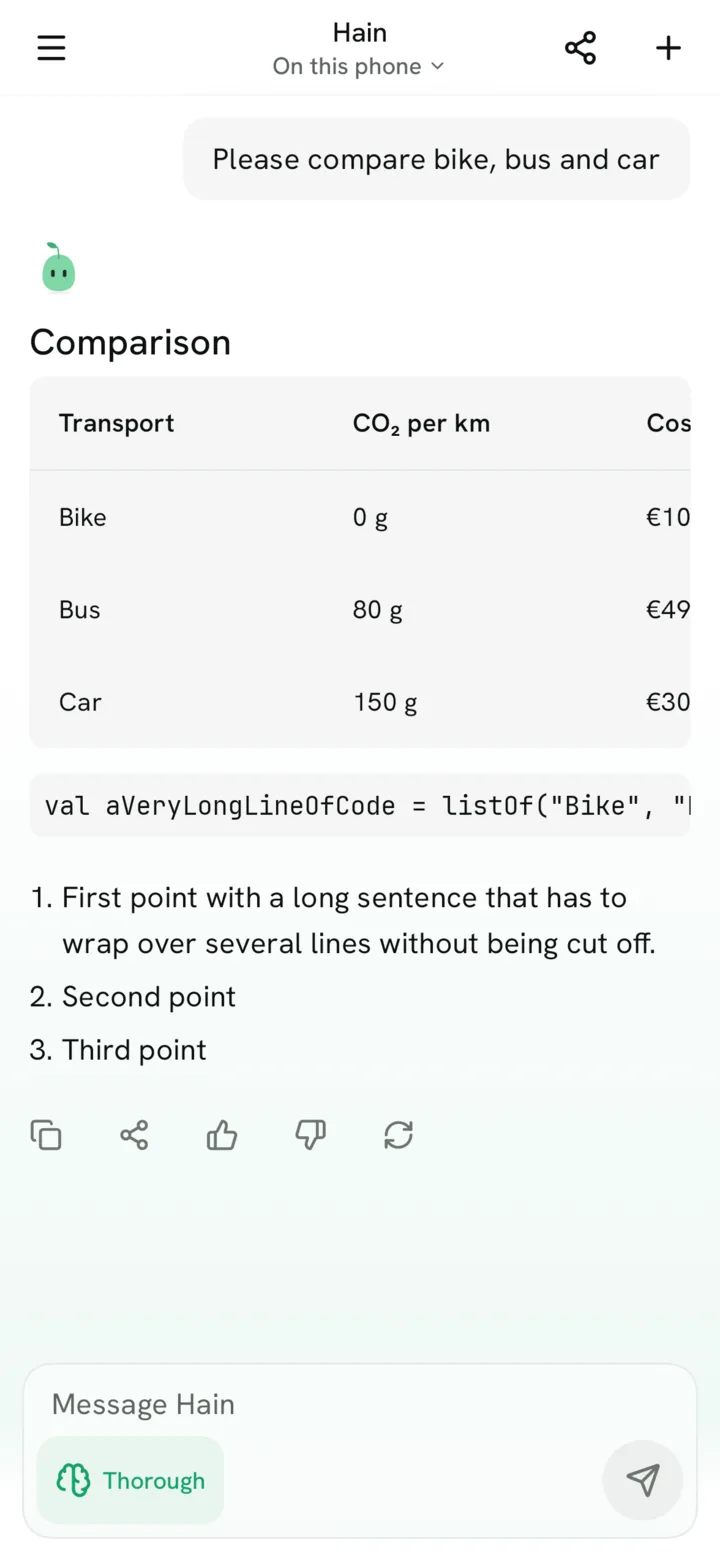
Chat that stays on your phone
Answers appear as they are written, with lists, tables and code. Stop at once, copy, share, rate or ask again. The AI runs on your phone, even in flight mode. Small models know less than the big cloud AIs, so check important answers.
- Since 0.1
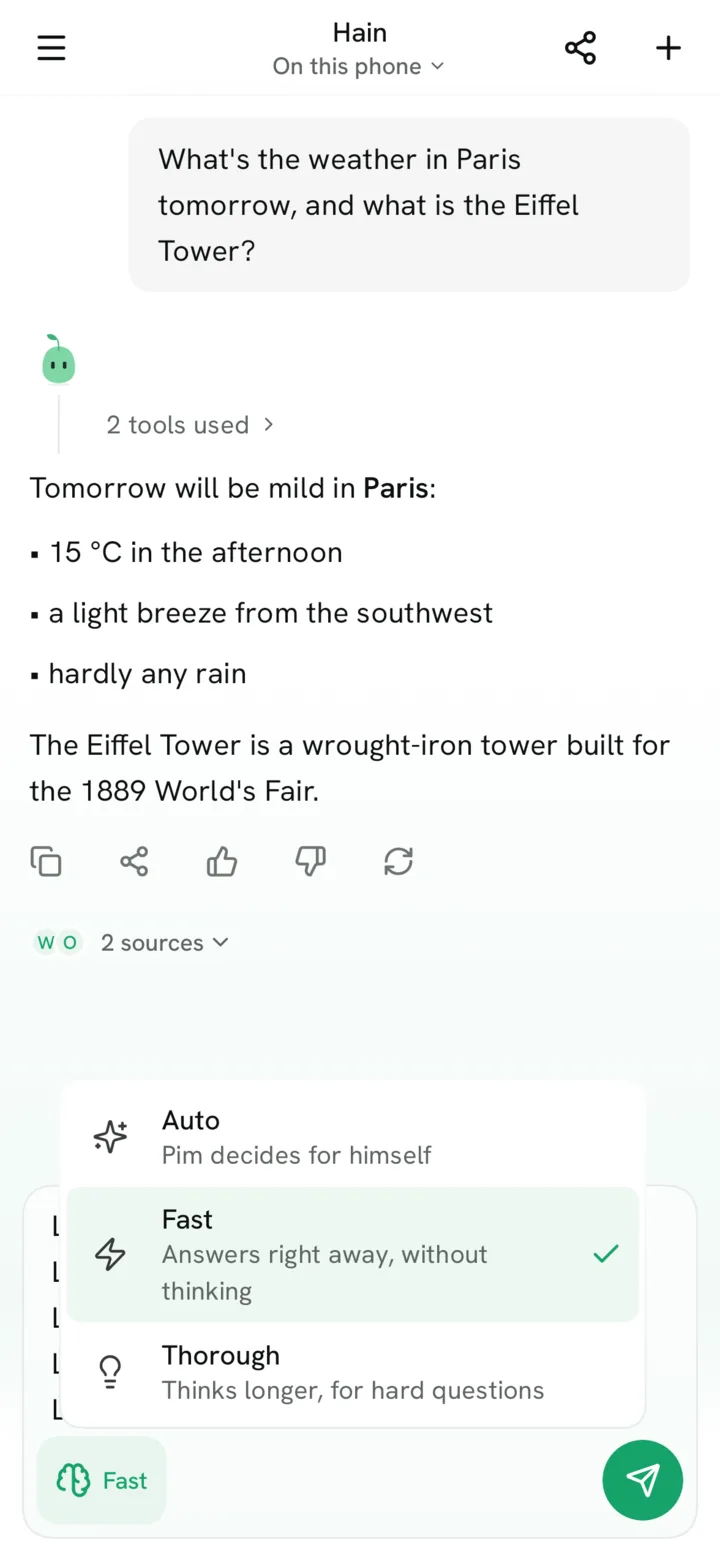
Fast, Auto or Thorough
Pick in the message box how much effort Pim puts in. Fast answers at once, Thorough takes longer and searches more for hard questions, Auto decides for you.
- New in 0.2
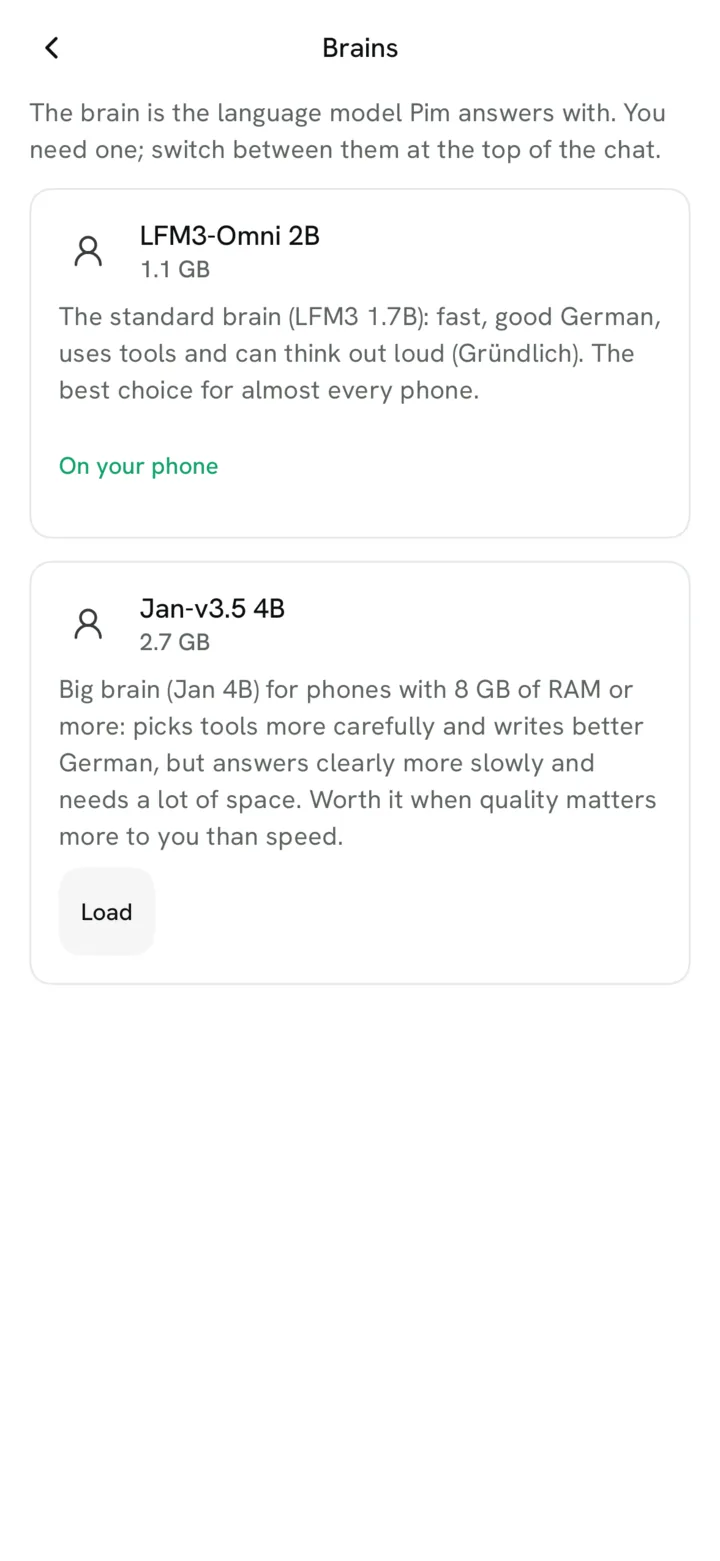
Choose the brain
The standard brain is LFM3 1.7B (about 1 GB), which thinks out loud when a question needs it. LFM3-Omni 2B (also about 1 GB) is optional: it does not think out loud and calls fewer unneeded tools. Phones with 8 GB of memory or more can add the optional big brain Jan-v3.5 4B (2.7 GB): it picks tools more reliably but answers clearly slower. Each brain says plainly what it is good at; switch any time with a tap on “Hain” at the top of the chat.
- Since 0.1
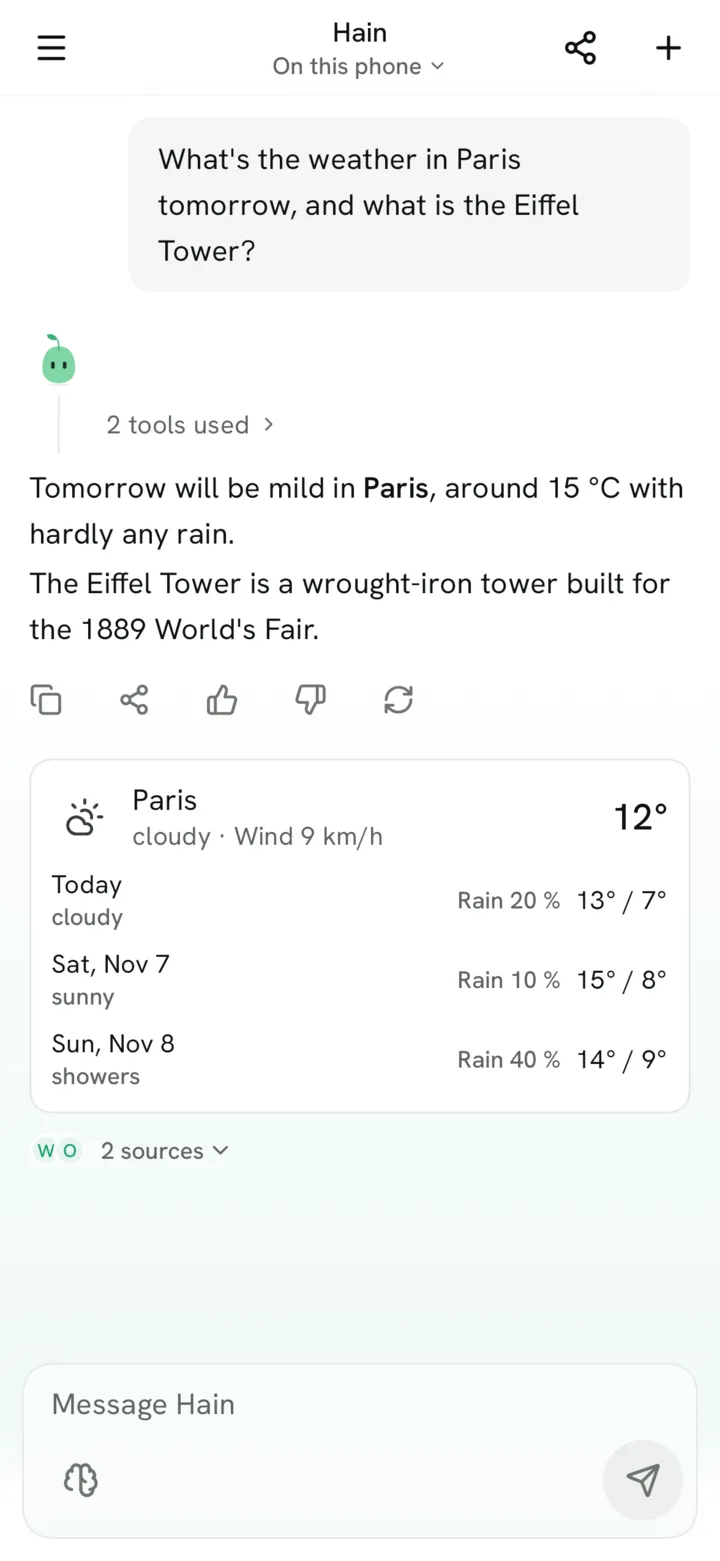
Pim looks it up
Weather from Open-Meteo, Wikipedia in German and English and a web search without account or API key. Each step shows under the answer, folded into one quiet line (“3 tools used”) that opens with a tap, with the sources. New in 0.2: weather and Wikipedia cards, site icons at the sources, and tools only come up when your question asks for them.
- Since 0.1
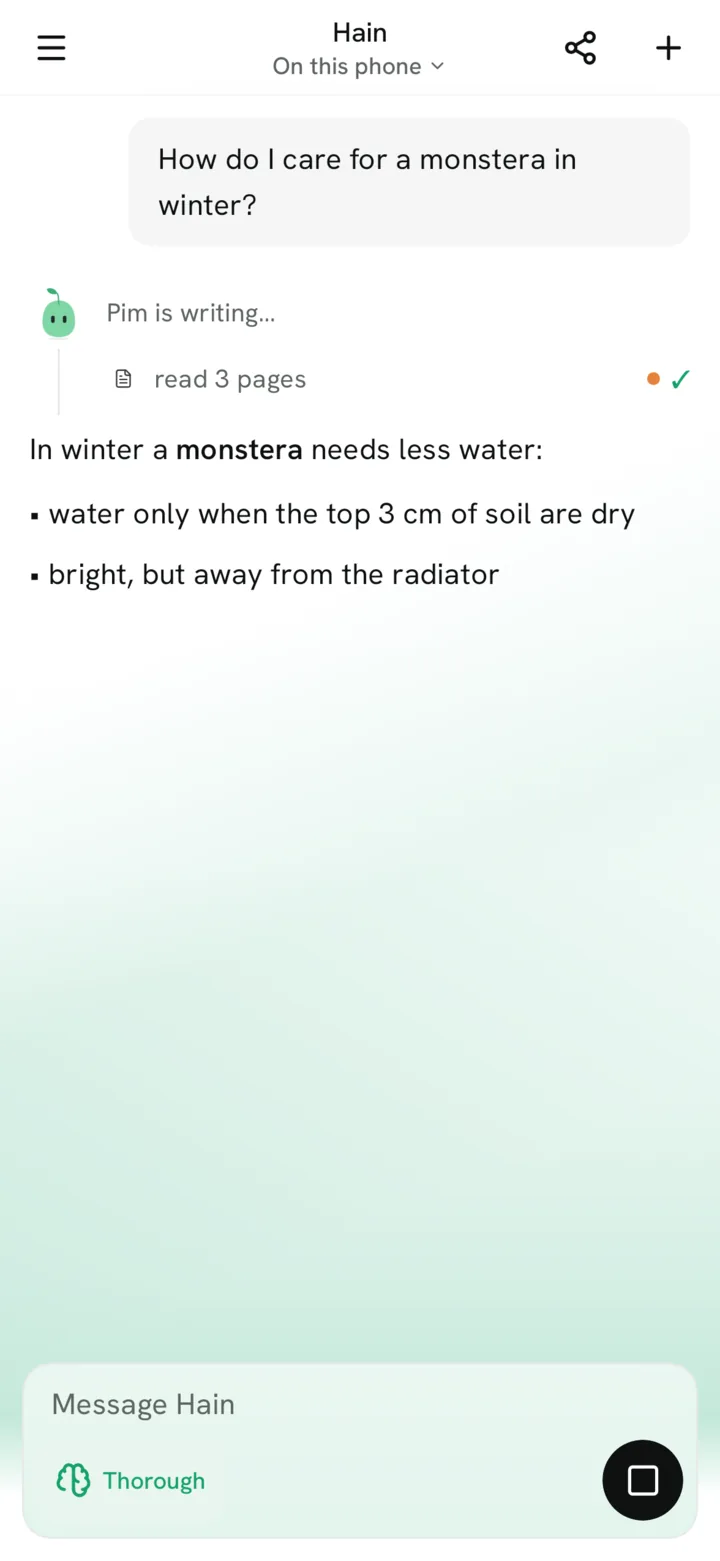
Research with every step
For harder questions Pim searches the web, reads several pages at once and writes from them. You see what it searched and which pages it read, and you can stop at any time. Exact maths and units are calculated, not guessed.
- Since 0.1
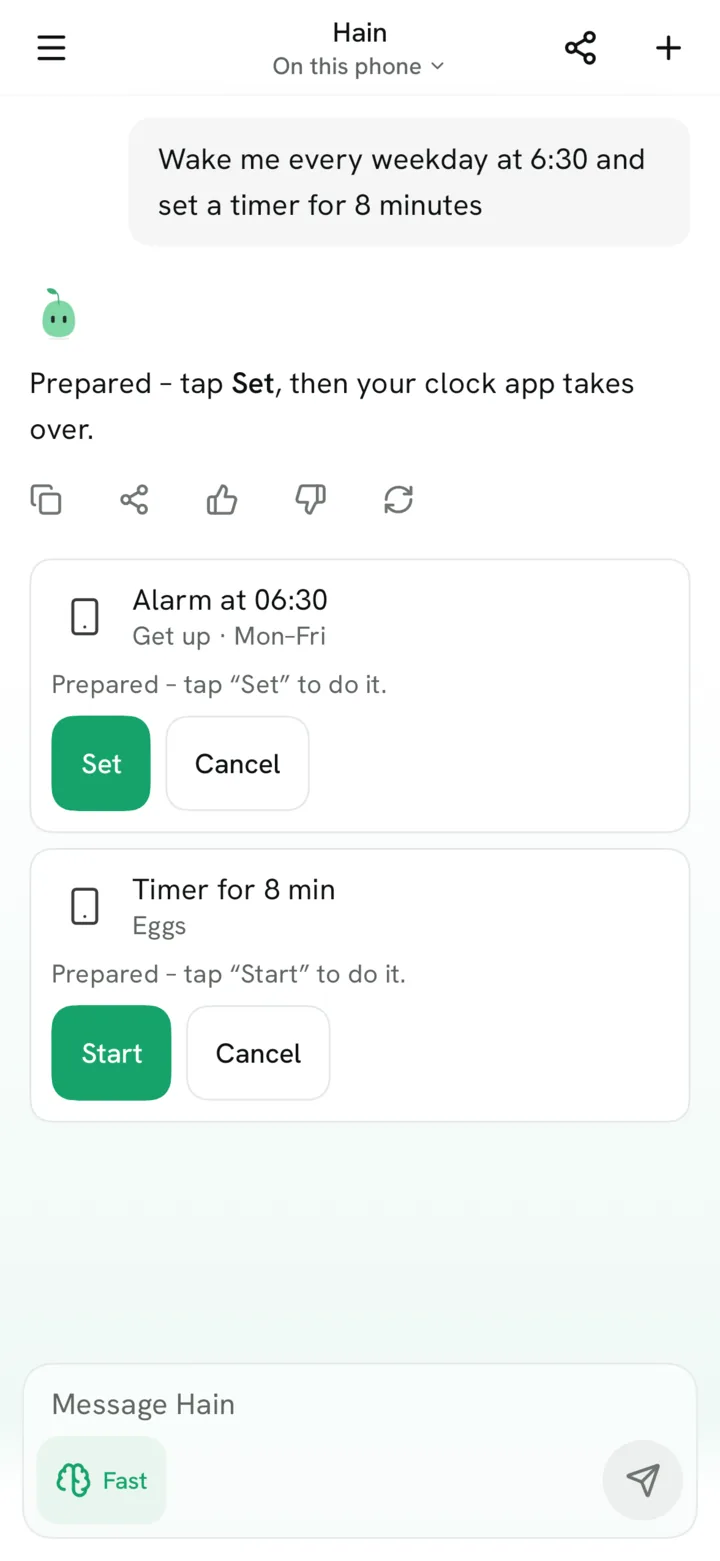
Phone actions, always with your OK
Alarm (also every weekday), timer, calendar entry and directions. Pim only prepares a card; your clock, calendar or map app opens after your tap. New in 0.2: repeating alarms, and if you like, a 3-second countdown with Undo instead of the tap.
- New in 0.2
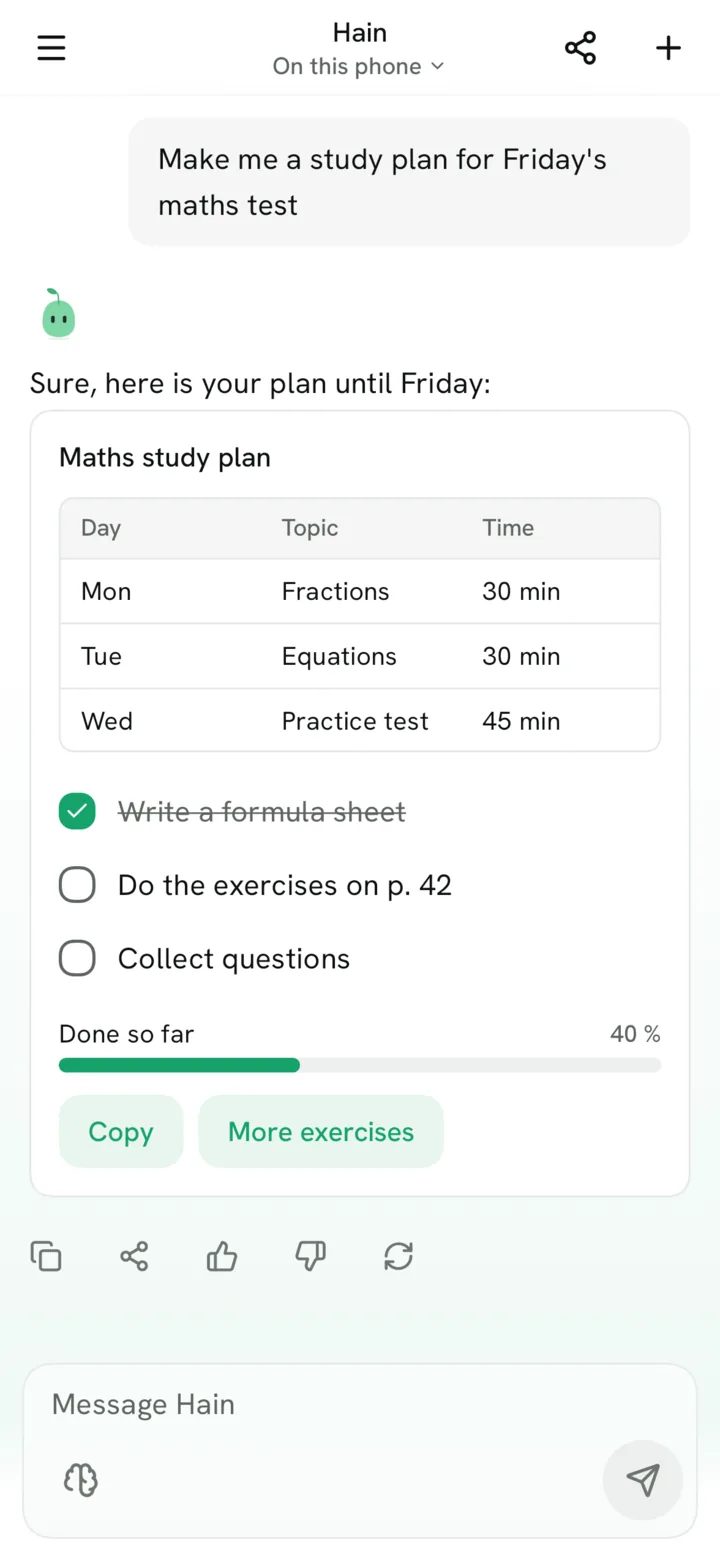
Cards in the answer
For plans, lists and comparisons Pim answers with a calm card: table, checklist to tick off, progress bar, bar or line chart and buttons. Ticks stay with the chat.
- New in 0.2
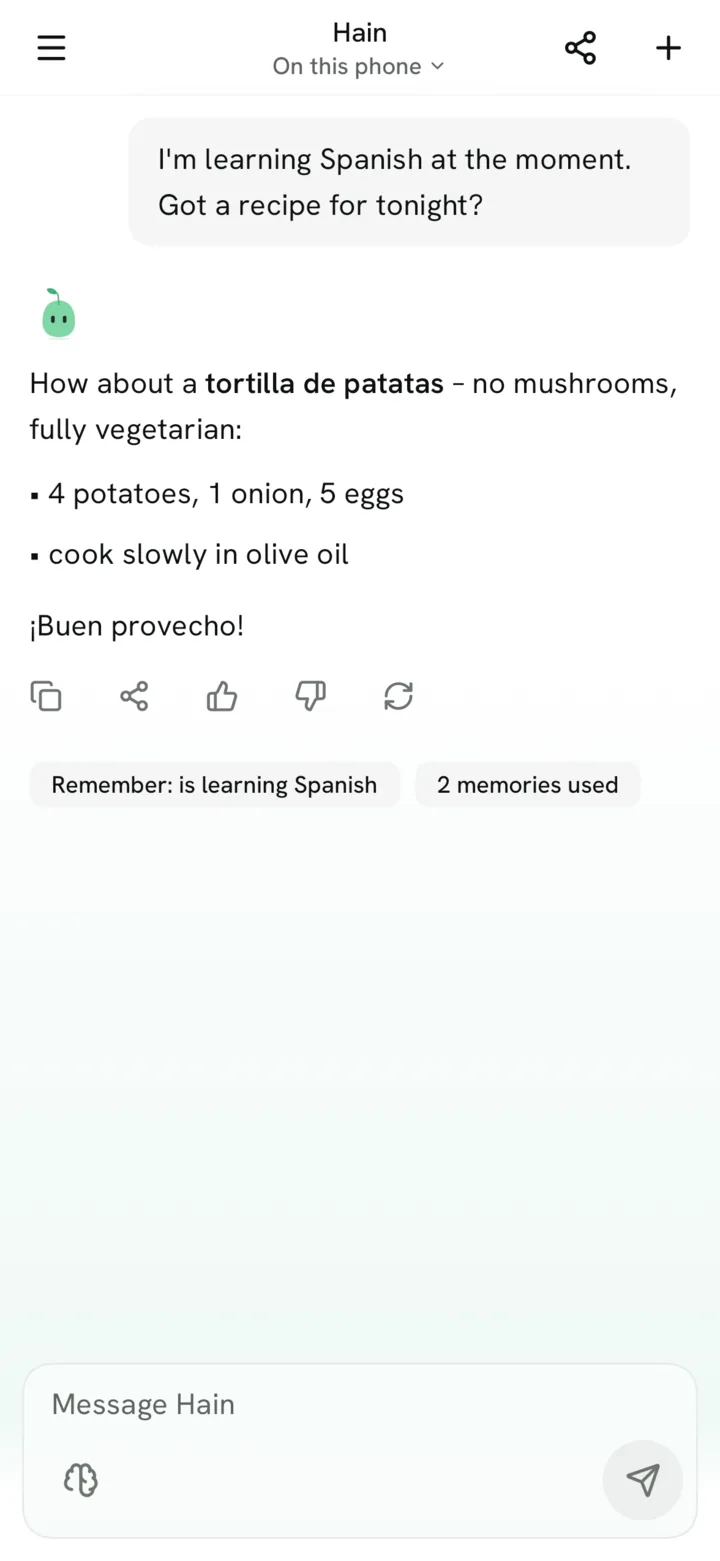
Pim remembers – if you want
“Remember that I’m vegetarian.” Pim keeps what you say about yourself on your phone and uses it when it fits. Under the answer you see which memories it used, and “Remember: …” offers new ones with one tap. See, change or delete everything in Settings → Memory.
- New in 0.2
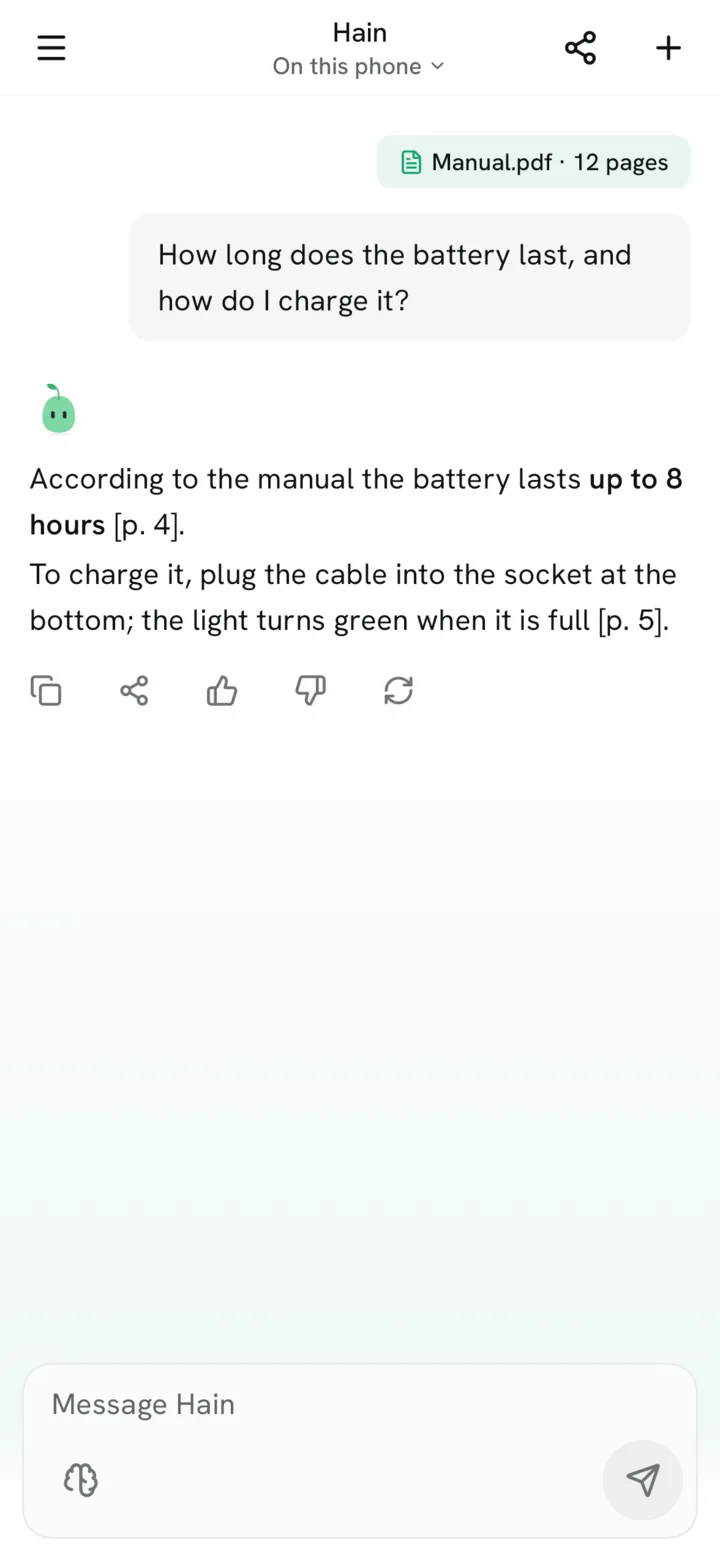
Ask your PDFs and photos
Attach a PDF, a photo of a page or a text file with the paper clip, or share it from another app. Hain reads the text on your phone (text recognition for scans as an optional pack) and Pim answers with the page.
- New in 0.2
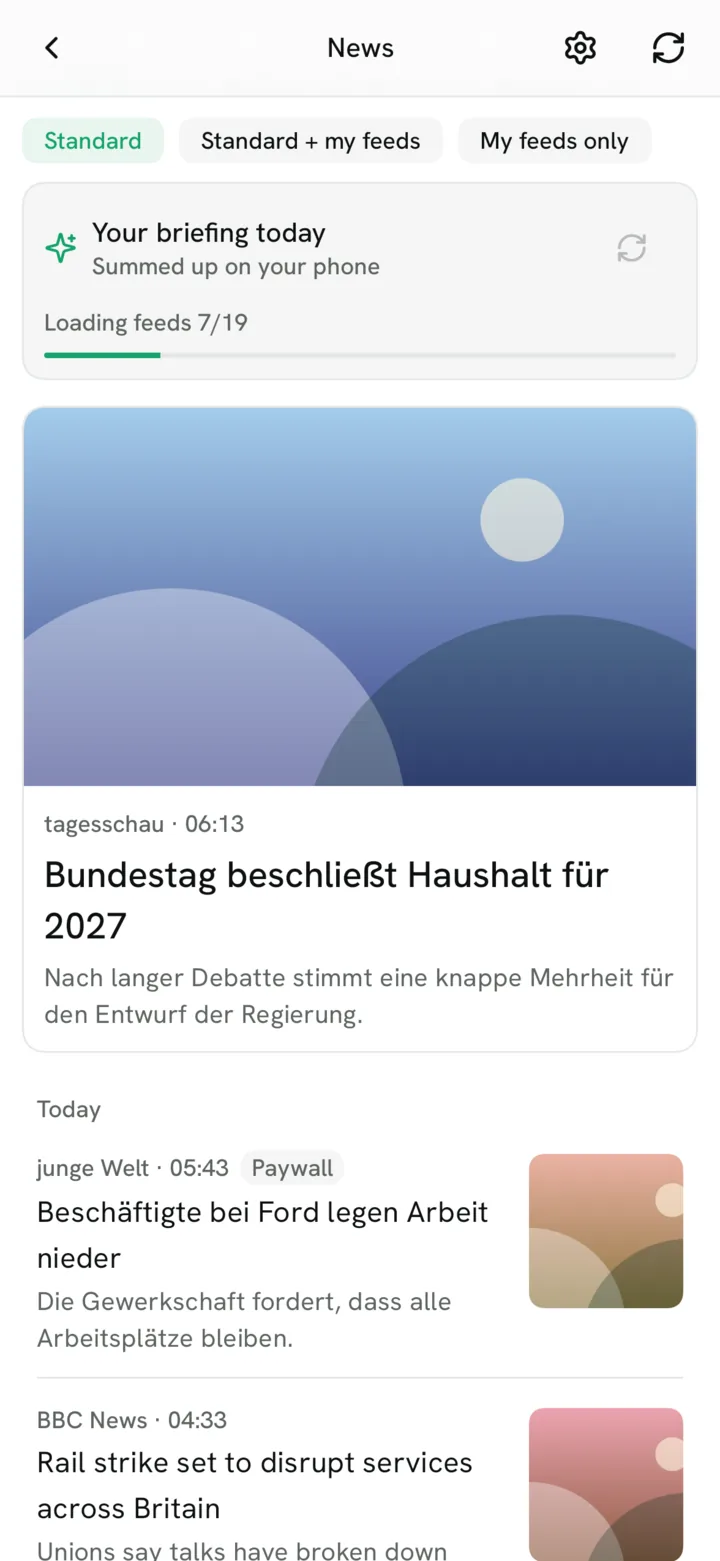
Your news, calmly
A news reader with pictures: 19 sources in German and English, plus your own feeds if you like. Your briefing of the day is picked and summed up on your phone, and you see each step while it is made.
- New in 0.2
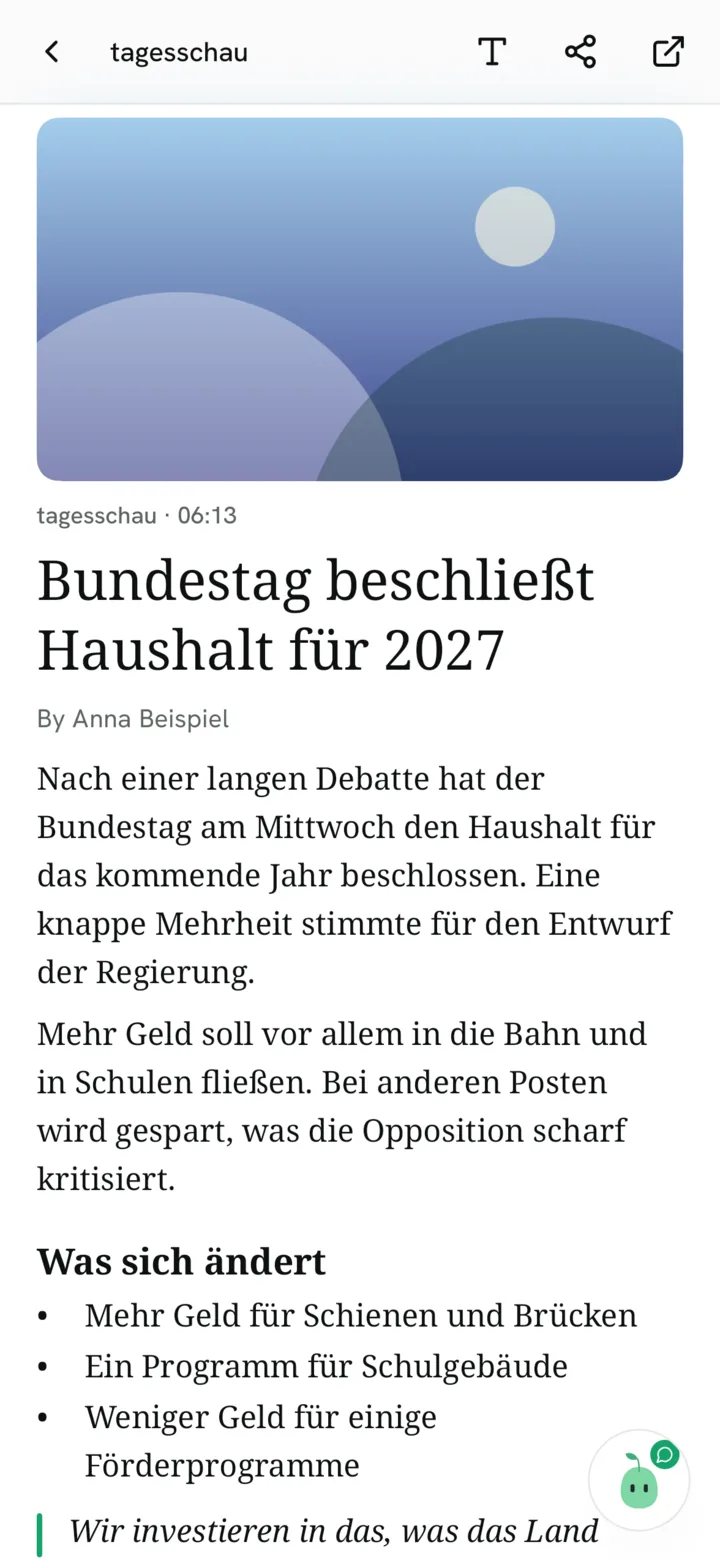
Read in Hain and ask Pim
Articles open in a clean reading view with adjustable text. Ask Pim to sum up or explain an article; it answers only from that article, on your phone. Paywalls stay paywalls.
- New in 0.2
Nothing gets lost
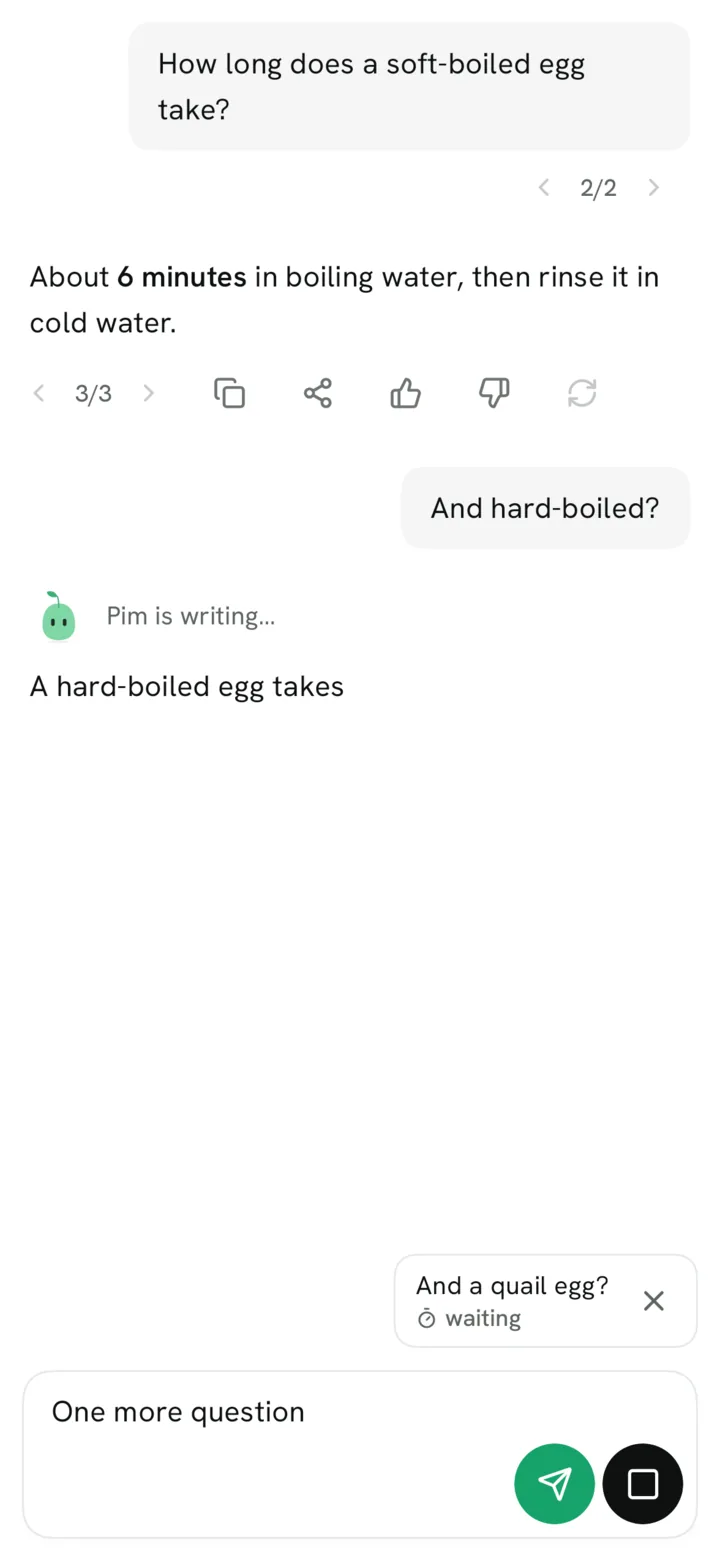
Edit a message or ask again and the old version stays: switch with ‹ 2/3 ›. Send your next question while Pim is still answering; it waits its turn.
- Since 0.1
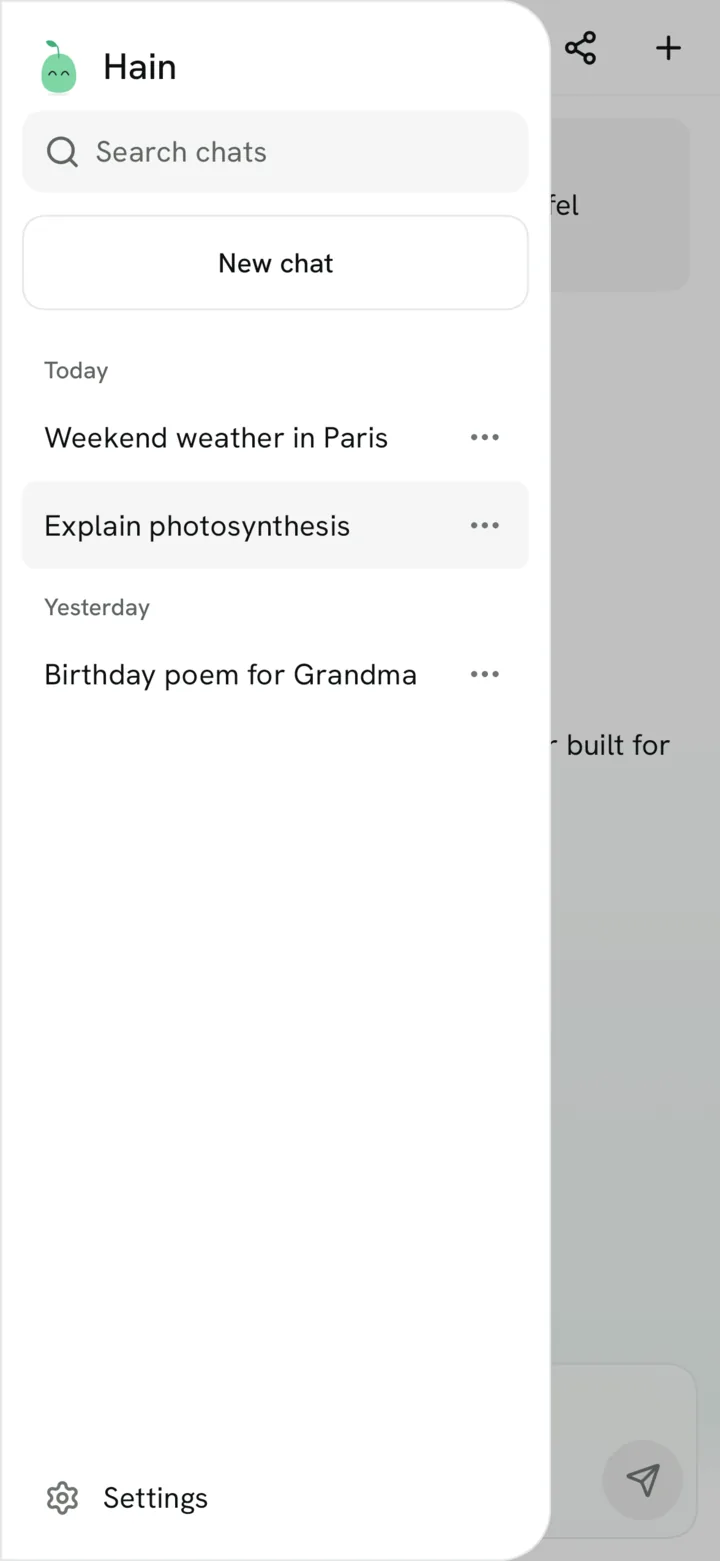
Your chats stay – encrypted
Chats are stored encrypted, only on your phone. Search, rename, pin and delete them, with automatic titles. New in 0.2: export one chat as Markdown or PDF, or all at once as a ZIP.
- New in 0.2
Private chat, app lock, network log
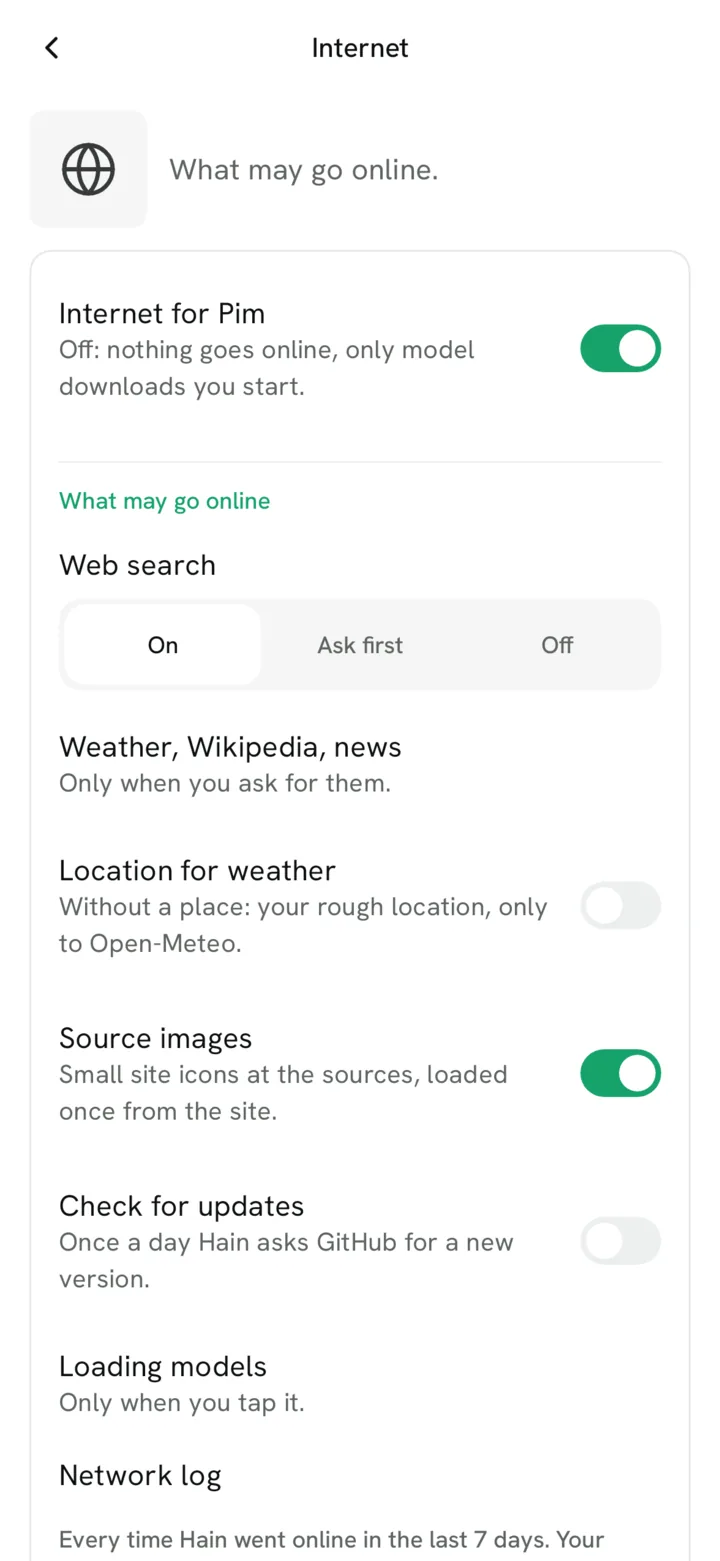
A private chat is never saved and gone when you leave it. Lock Hain with fingerprint or PIN and block screenshots. Every request to the internet is listed, and one switch on the Internet page turns all of it off. The network log has been there since 0.1; the rest is new.
- New in 0.2
Wikipedia without internet
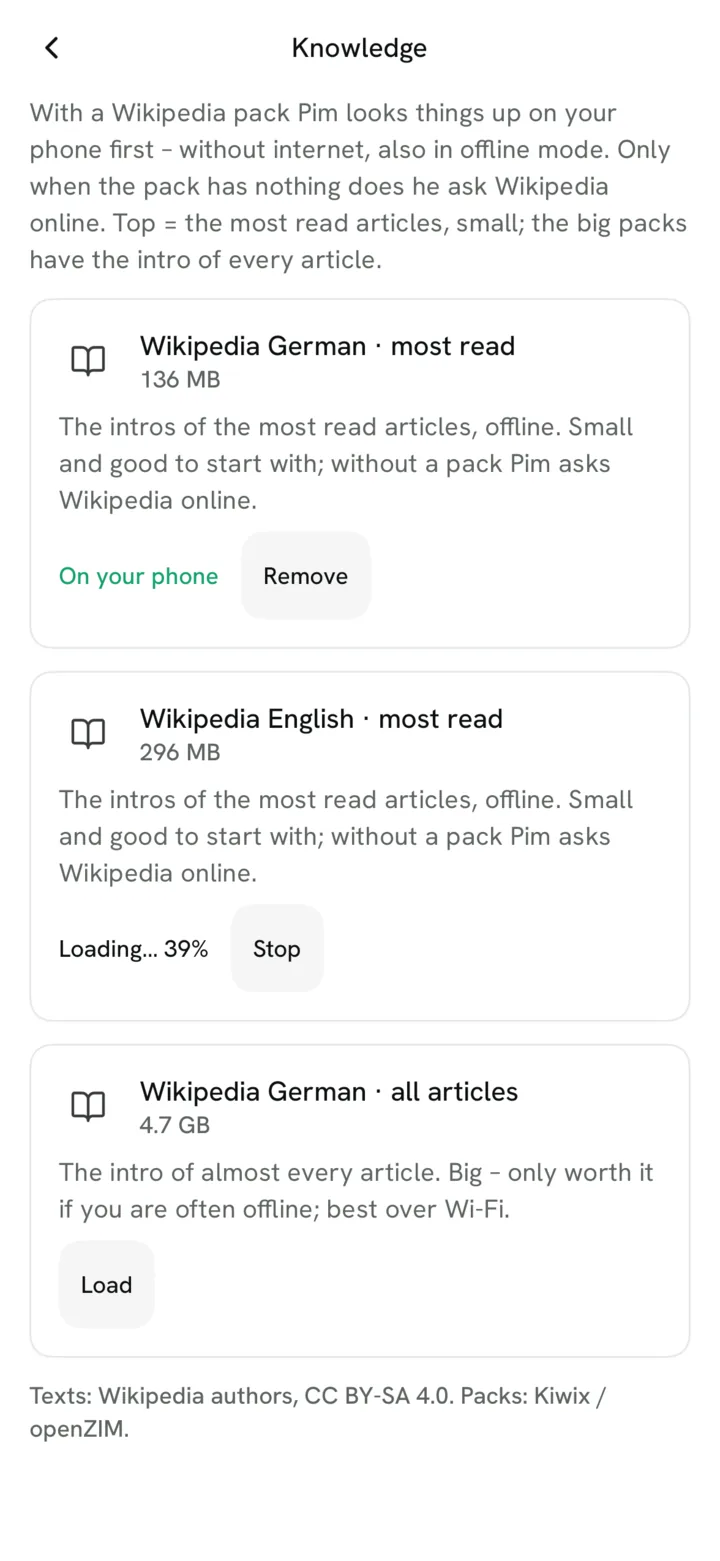
Models & packs sorts everything you can download: Wikipedia for your phone (German from about 140 MB), brains, text recognition, search by meaning and voice. Each pack says what it brings and whether it fits your phone.
- New in 0.2
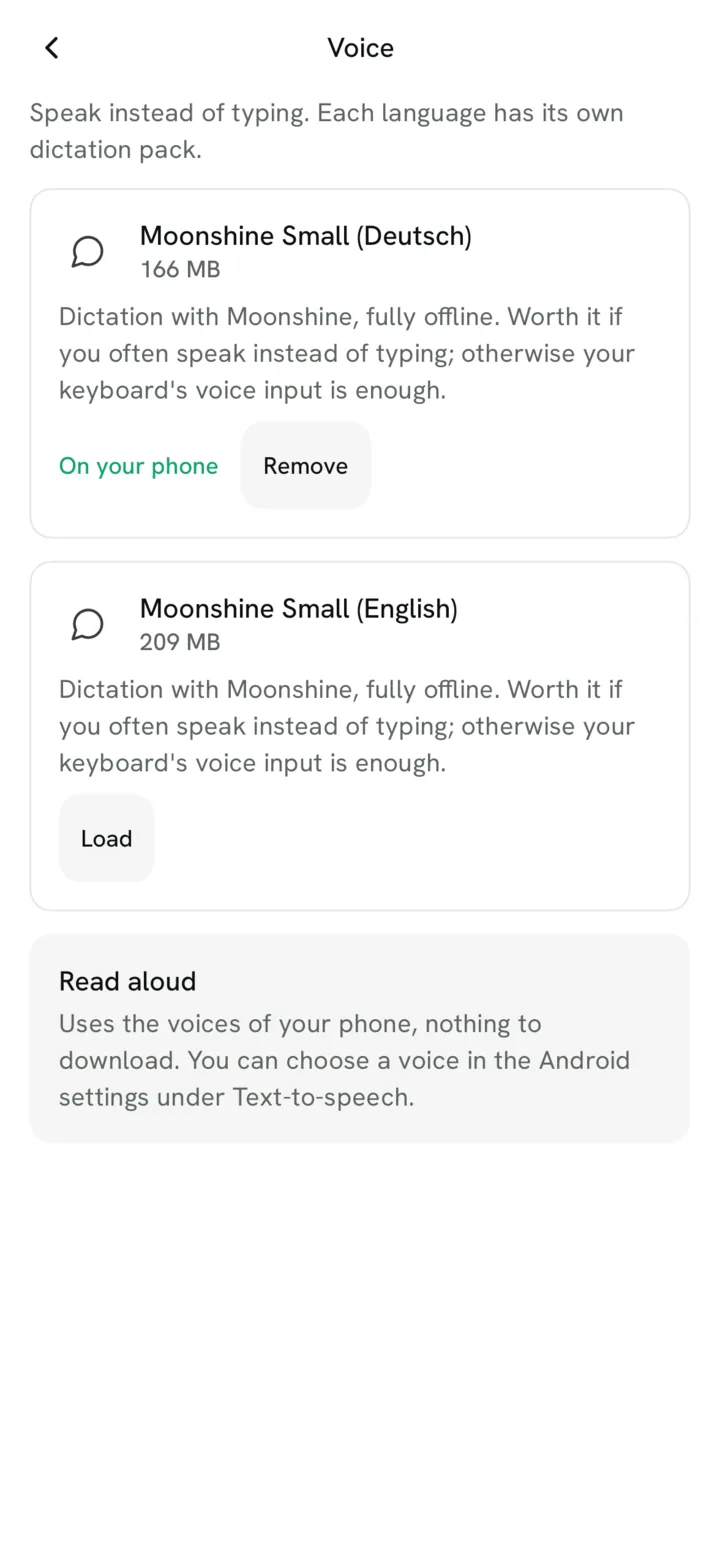
Speak instead of typing
Tap or hold the mic and speak; dictation runs fully on your phone (German and English, a small pack per language). Pim can read answers aloud, for now with your phone’s own voice.
- Since 0.1
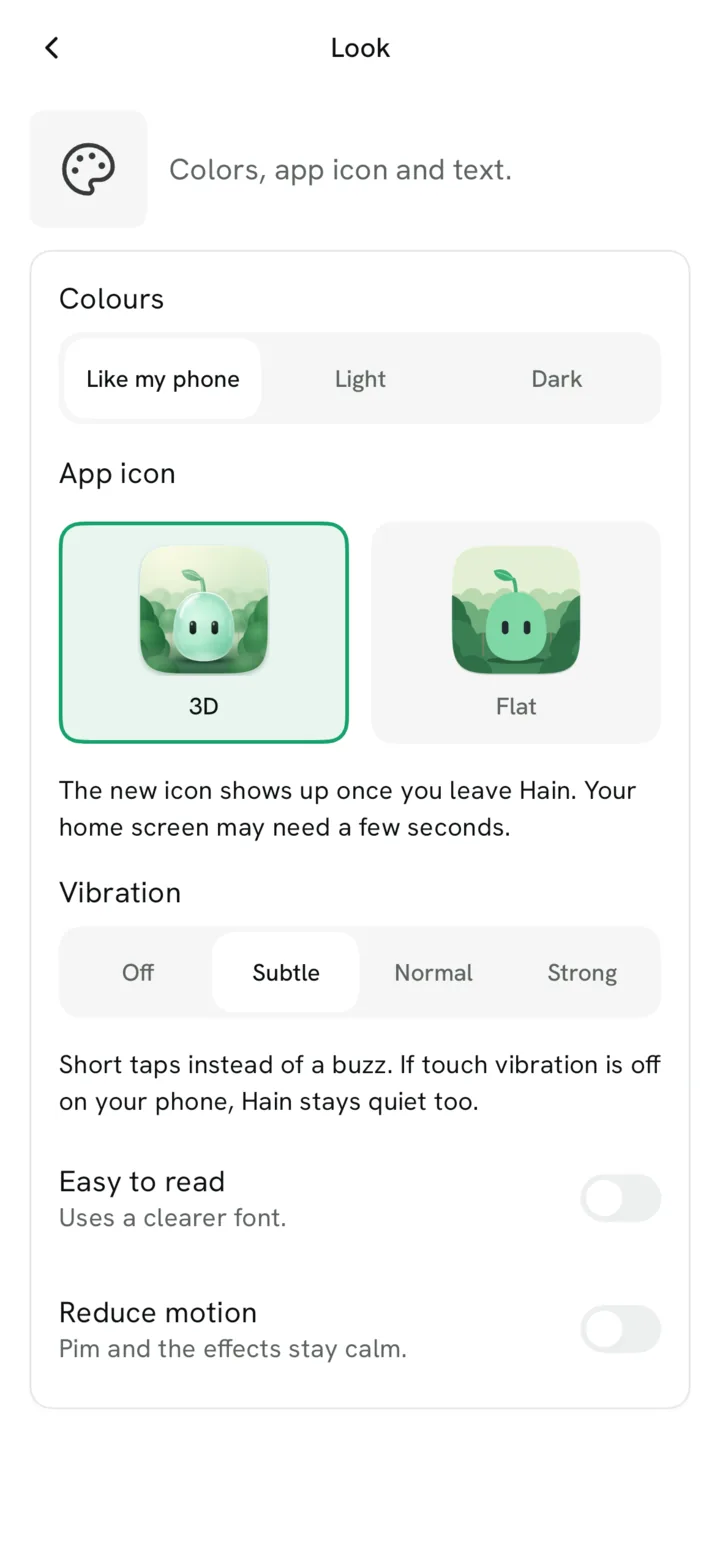
Your look
Light or dark, an easy-to-read font, app icon, vibration and reduce motion. Answer style and a few words about you are in Settings too.
- New in 0.2
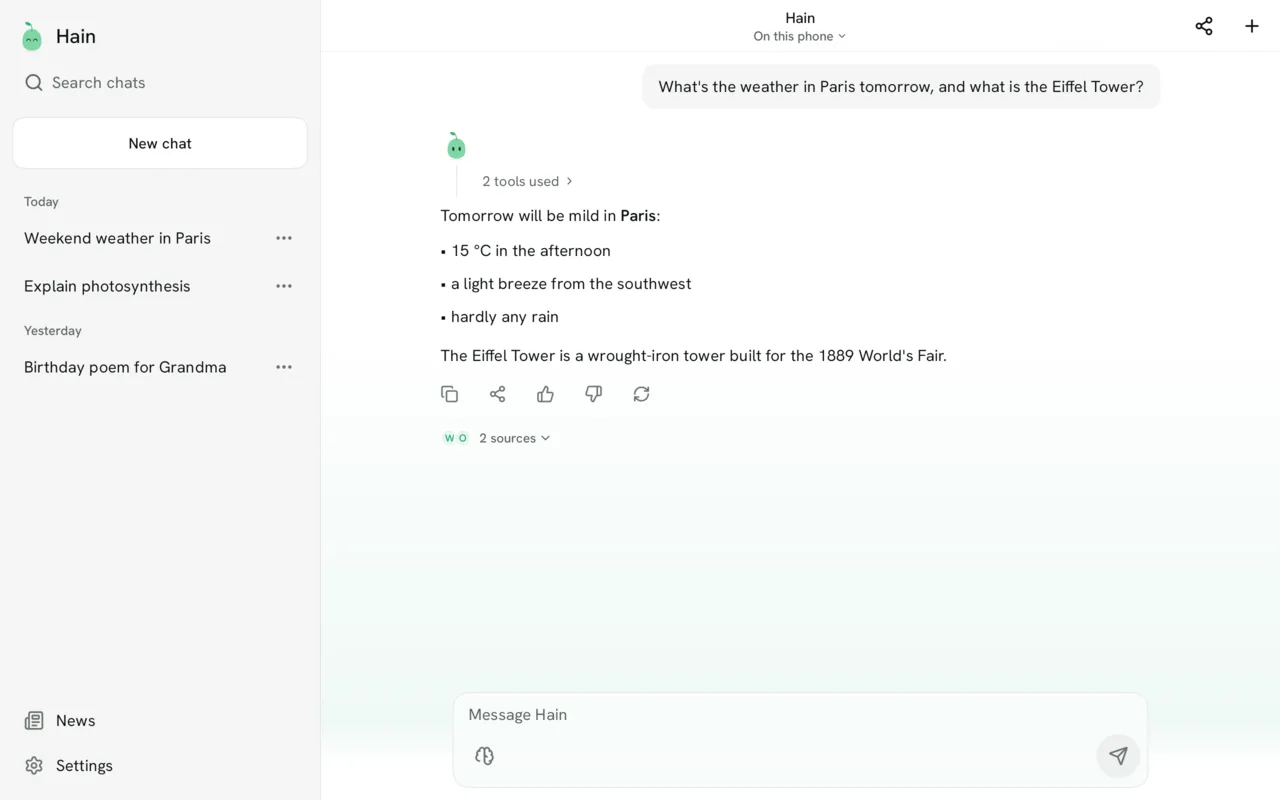
Tablets and wide screens
On a tablet the chat list stays open on the left. Settings, Models & packs, Memory and News use the extra room.


Also in 0.2
Smaller things without their own picture.- New in 0.2
Share, widget & quick tile
Share text, links, PDFs or photos from any app into a new chat. A home screen widget “Ask Pim” and a quick tile “New chat”.
- Since 0.1
Speaks your language
Pim answers in the language you write in, or always in German or English.
- New in 0.2
Update check (optional)
Off until you say yes. Then Hain asks GitHub once a day for a new version and shows a calm hint. Nothing installs by itself.
- New in 0.2
Quicker start
Pim’s fixed instructions are kept after the first read, so the first answer after opening Hain comes sooner.
- New in 0.2
Developer mode
Hidden for tinkerers: tap the version 7 times. Try your own GGUF model, tune sampling, see tokens per second.
- New in 0.2
Open-source licences
Settings → About Hain lists every library, AI model, font and icon set Hain uses, with version and licence. A tap shows the full licence text, right in the app and offline.
- Since 0.1
A secret
Hold Pim on the start page for 5 seconds … (hint: 2048).
Planned
What comes next.
None of this is in the app yet. It is in Hain’s concept and plan, without dates.
Next: 0.3
Planned for the next version- Planned
Mini-apps in Pim’s forest
Small helpers without keys, for example local transport, that grow as trees in Pim’s forest.
- Planned
Edit photos
Erase objects, remove the background, make photos sharper – on your phone.
- Planned
Voice mode
Talk with Pim hands-free, back and forth.
- Planned
F-Droid
Hain in the F-Droid app store, so updates come by themselves.
Later
In the concept, no version yet- Planned
Photos and audio with Omni
“What is this?” or “Explain this maths problem”: the Omni brain can understand pictures and sound with an extra pack.
- Planned
Pim’s own voice
Read aloud in Pim’s own voice instead of the phone’s voice.
- Planned
Pictures in answers
Answer cards that can show pictures, too.
- Planned
Create images (optional)
An optional pack for phones with 8 GB of memory or more. Nice for sketches and ideas, far weaker than the big cloud AIs.
- Planned
Hain as your phone assistant
Start Hain like a phone assistant and ask about what is on your screen.
Install
Ready in three steps.
Hain is not in the Play Store. You install it directly from GitHub, which takes about two minutes.
1. Download the APK
Open the download page on your phone. Under “Assets”, tap the file that ends in “.apk”.
2. Install it
Open the file. Android asks if your browser may install apps. Allow it once, then tap “Install”.
3. Get the brain
On first start Hain downloads its brain (about 1 GB). Wi-Fi is best. After that, chatting works offline.
You need Android 10 or newer and at least 4 GB of RAM; 6 GB or more is recommended.
Help: “Install unknown apps”, step by step
Android protects you from apps that don’t come from the Play Store. That is good. To install Hain, you allow it once for your browser:
- 1Tap the downloaded APK file (in the browser or in your “Downloads”).
- 2Android shows a message like “For your security, your phone is not allowed to install unknown apps from this source.” Tap “Settings”.
- 3Turn on “Allow from this source”.
- 4Go back and tap “Install”. Done!
- 5Optional: turn the switch off again afterwards. Hain keeps working.
The exact words differ a little between phone brands. If Google Play Protect warns you, tap “More details” and “Install anyway”. Hain is open source, so anyone can check the code. Already have a test version? Install the new APK over it; your chats stay.
Privacy
Privacy, explained simply.
No fine print. Here is exactly what happens with your data.
Always stays on your phone
- Your questions and Hain’s answers
- Your saved chats (encrypted)
- What Hain remembers about you
- Your documents (only their text, encrypted)
- Your settings
Goes online only when you ask
- Weather, Wikipedia, web search, news
- Downloading the brain and packs
- Every request is listed, so you can see where it went
Where requests go
Example- Weather tomorrowopen-meteo.com
- Wikipedia: Eiffel Towerwikipedia.org
- Brain downloadhuggingface.co
Never: no account, no analytics, no ads, no Google Play Services, no Firebase.
Compared
Hain or a cloud AI?
An honest comparison. Cloud AIs are smarter and know more. Hain is private and yours.
HainTypical cloud AI- Where the AI thinksHainOn your phoneTypical cloud AIIn a data centre
- Account neededHainNoTypical cloud AIUsually yes
- Who sees your chatsHainOnly youTypical cloud AIThe company can store them
- Ads and trackingHainNoneTypical cloud AIDepends on the company
- Works without internetHainYes, for chattingTypical cloud AINo
- PriceHainFreeTypical cloud AIFree with limits, or paid
- Knowledge and smartsHainSmaller, looks things up onlineTypical cloud AIMuch bigger
- SpeedHainDepends on your phoneTypical cloud AIUsually fast
Hain uses a small open language model. It knows less than the big ones, so for facts it looks things up on the web when you allow it.
FAQ
Questions? Answers.
Why do I have to allow “unknown sources”?
Hain is not in the Play Store, so Android asks once if your browser may install it. That is a normal safety question. The step-by-step help above shows how. You can turn the switch off again afterwards.
Is Hain safe?
Hain is open source: anyone can read the code on GitHub. It has no ads, no trackers and no Google services, and your chats stay on your phone. It is still an early version, so it can crash, and things may change between versions.
Does Hain need the internet?
Only once to download the brain (about 1 GB). After that, chatting works offline. Hain only goes online when you ask for something from the web, like the weather or a search, and it shows you where the request goes.
Which phone do I need?
An Android phone with Android 10 or newer and at least 4 GB of RAM; 6 GB or more is recommended, 8 GB or more for the optional big brain. The newer your phone, the faster Hain answers. iPhones are not supported.
What does it cost?
Nothing. Hain is free and has no ads. The app is open source under the GPL-3.0 licence.
Which licences do the brains have?
The standard brain LFM3 1.7B and the optional LFM3-Omni 2B are under the LFM Open License v1.0, the optional big brain Jan-v3.5 4B under Apache-2.0. Wikipedia packs are CC BY-SA 4.0. Every licence text is in the app under Settings → About Hain → Open-source licences, and in the repository.
How do I update Hain?
Download the newest APK from the same download page and install it over the old one; your chats stay. If you like, Hain can check once a day whether a new version is out (off until you say yes).
Can the AI make mistakes?
Yes. Like every AI, Hain can be wrong, make things up or sound more sure than it is. Please check important answers, especially about health, money or law. Hain does not replace a doctor, a lawyer or therapy.
Is Hain made with AI?
Partly. Hain is made by one person, Oskar, together with AI coding agents. Every change is checked, tested and merged by a human.
Get involved
Help Hain grow.
You don’t need to code. Trying Hain and telling us what you think helps a lot.
Test and report
Install Hain, use it, and tell us what broke or what you wish for.
Open an issueTranslate
Hain speaks German and English. Help with wording or add a new language.
How to translateCode along
All code is on GitHub. Start with the contributing guide.
View on GitHub
About AI: Hain’s AI can be wrong. Check important answers. Hain is developed with the help of AI coding agents, and every change is reviewed by a human.